Dental A/R follow-up is a core part of revenue cycle management
Every dental practice has outstanding insurance claims. That is normal. Claims take time to process, payers request information, and some balances require follow-up before they are resolved.
The problem begins when outstanding claims become difficult to manage. A claim may sit unpaid for weeks because no one noticed it. Another may require an attachment or correction. A third may have been partially paid but never reviewed. Over time, these unresolved items can create a growing accounts receivable (A/R) balance.
For dental practices and dental support organizations (DSOs), managing A/R is not simply about calling insurance companies. It is about knowing which claims need attention, what action should happen next, and who is responsible for completing it.
AI dental A/R follow-up automation can help organize this work by identifying outstanding claims, prioritizing follow-up tasks, and supporting repeatable workflows across dental practices. The goal is not to replace judgment. It is to reduce repetitive work and help teams focus on the accounts that need human attention.
What is dental A/R follow-up automation?
Dental A/R follow-up automation helps practices manage outstanding insurance claims after they have been submitted. Instead of relying entirely on spreadsheets, manual reports, and individual reminders, automation can help organize claim activity and guide the follow-up process.
Depending on the workflow and available data, A/R automation may help with:
- Identifying unpaid or aging claims
- Organizing claims by outstanding balance or age
- Monitoring available payer status information
- Highlighting claims that may require additional follow-up
- Creating structured follow-up tasks
- Documenting activity and outcomes
- Routing exceptions to staff for review
Traditional A/R follow-up often depends on staff manually reviewing aging reports, logging into payer portals, making calls, and tracking notes in multiple systems. AI-assisted automation can help reduce the amount of repetitive administrative work while keeping the team in control of decisions that require judgment.
Why manual A/R follow-up becomes difficult
Claims are easy to miss
When practices manage A/R manually, staff may need to review reports regularly to identify unpaid claims. If follow-up depends on someone remembering to check a claim, important items can be delayed or overlooked.
Not every claim requires the same action
An outstanding claim may be in normal processing, missing information, denied, partially paid, or waiting for a payer response. Treating every claim the same can waste time and delay the work that matters most.
Information is spread across systems
Claim information may live in the PMS, a clearinghouse, payer portals, email, and staff notes. Moving between systems makes it harder to understand the full history of a claim and determine the next step.
Aging balances become harder to recover
As claims get older, they may require more investigation, documentation, or payer communication. Filing limits and appeal deadlines may also affect the urgency of the work.
Teams spend time on routine status checks
Many A/R tasks involve checking whether a claim has been received, processed, paid, or delayed. These repeatable steps can consume time that staff could spend on complex exceptions, payer disputes, and patient communication.
How AI A/R follow-up automation works
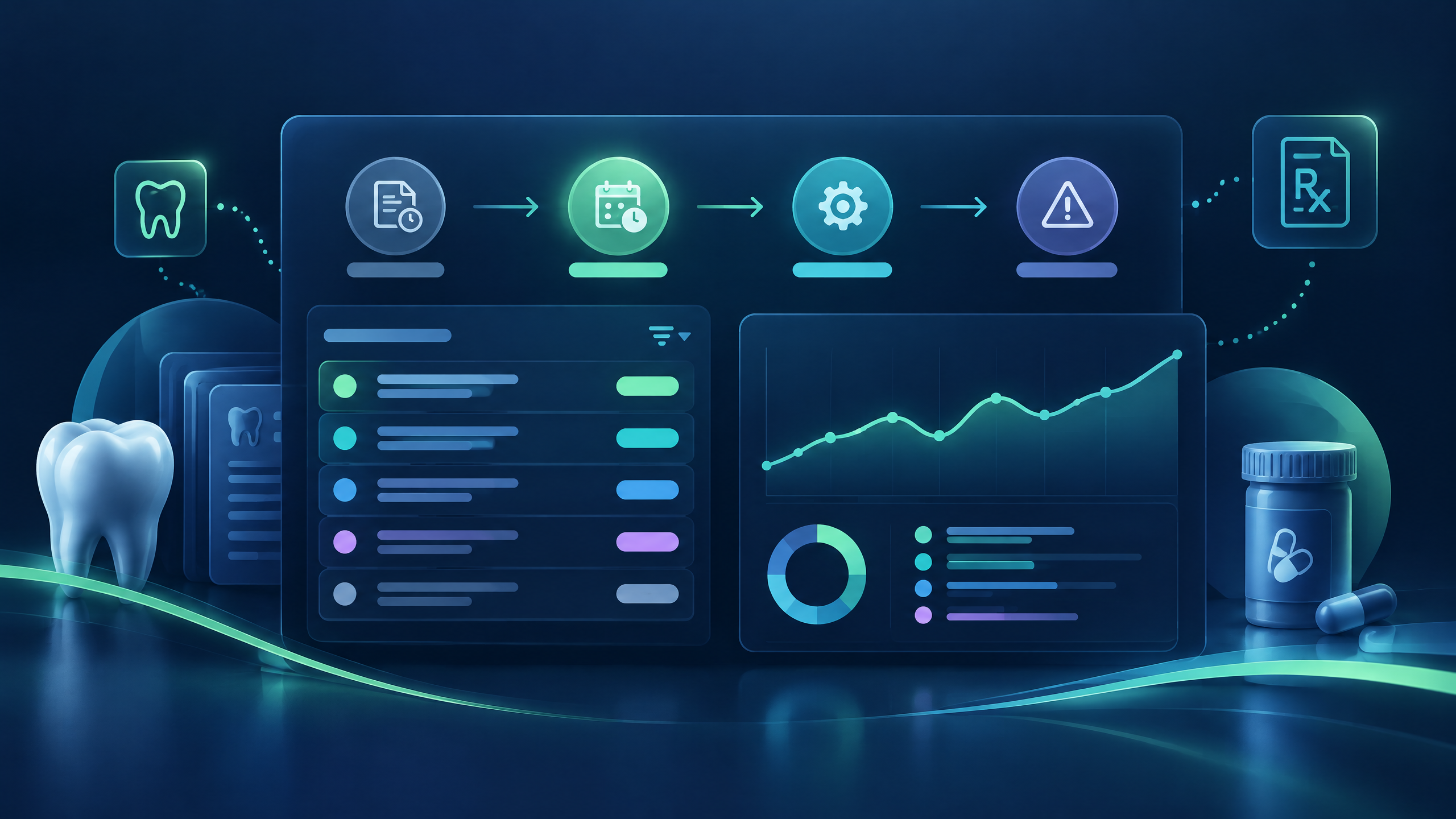
AI A/R follow-up automation can help organize the workflow into a series of repeatable steps.
- Identify outstanding claims. The workflow reviews available claim information to identify balances that remain unpaid or unresolved.
- Review available claim status. Where supported, it can organize status information from the PMS, clearinghouse, or payer sources.
- Prioritize follow-up. Claims can be grouped by age, balance, available status, and next action so teams can focus attention where it is needed.
- Perform configured routine actions. Automation may support recurring status checks, task creation, or other approved steps within the configured workflow.
- Route exceptions for review. Denials, missing documentation, unclear payer responses, and other situations requiring judgment should go to the appropriate person or team.
- Document activity. The workflow can support a more consistent record of actions, outcomes, and pending follow-up where the relevant system connection is supported.
The value comes from combining structure with accountability. AI can help organize the queue and complete supported repetitive work. People still decide how to handle exceptions, payer disputes, appeals, and situations where information is incomplete or unclear.
A/R follow-up across dental PMS workflows
Your practice management system is the starting point for understanding claim activity, patient balances, and outstanding insurance work. Automation should complement the PMS workflow—not force a practice to replace the system it already uses.
Dentrix A/R follow-up
Dentrix practices can evaluate how A/R automation fits their current insurance-aging reports, claim notes, and staff follow-up process. The goal is to make outstanding work easier to identify and organize while preserving the practice's established controls.
Eaglesoft A/R follow-up
For Eaglesoft users, the evaluation should focus on how available claim and account information can support prioritization, task management, and documentation. A useful workflow should reduce disconnected tracking without obscuring who owns the next action.
WinOMS and Oryx A/R workflows
Organizations using WinOMS or Oryx should assess how automation can fit their existing insurance and patient-account processes, including the supported methods for accessing claim information and recording follow-up activity.
PMS compatibility note: These examples describe workflow considerations, not confirmation of a direct Dentistry Automation integration. Confirm supported systems, versions, connection methods, and available capabilities before representing a workflow as supported for a specific environment.
Which dental claims should be worked first?
The oldest claim is not always the first claim that needs attention. A useful A/R workflow considers both urgency and the likely next action.
| Claim situation | Potential next action |
|---|---|
| Recently submitted claim | Allow the normal payer processing window before checking again |
| Claim with no available status | Review the appropriate source or assign investigation |
| Pending claim beyond the expected timeframe | Check available status and determine why it has not progressed |
| Additional information requested | Identify the required attachment or documentation and coordinate submission |
| Denied claim | Review the denial reason and determine whether correction, appeal, or other action is appropriate |
| Partially paid claim | Compare the payment with the expected reimbursement and investigate the variance |
| Claim near a filing or appeal deadline | Prioritize the required action according to payer and internal policies |
Follow-up timing should reflect the payer, the claim circumstance, the practice's internal rules, and applicable deadlines. An automated system should not assume that every old claim is recoverable or that every balance should be handled in the same way.
A/R management vs. A/R follow-up automation
A/R management is the broader discipline of understanding and resolving outstanding balances. A/R follow-up automation supports the repeatable part of that work.
| Capability | Manual A/R follow-up | AI-assisted follow-up automation |
|---|---|---|
| Review aging reports | Staff review | Can organize available data for review |
| Check routine claim status | Staff-led | Can support configured status checks where available |
| Identify claims needing attention | Depends on staff process | Can highlight claims using defined workflow criteria |
| Prepare tasks and reminders | Often manual | Can create or organize tasks where supported |
| Handle denials and disputes | Staff judgment | Staff judgment, with structured routing and documentation support |
| Document outcomes | Staff-led | Can support consistent activity records where connected |
Automation is not a substitute for sound A/R policy. It is a way to make the routine parts of the policy easier to execute and audit.
Benefits of AI A/R follow-up for dental groups
For DSOs and multi-location practices, A/R follow-up automation can help establish a more consistent operating approach:
- Shared follow-up process: Teams can work from clearer rules for what happens after a claim becomes outstanding.
- Improved visibility: Leaders can review available claim aging, activity, and unresolved items across locations.
- Less repetitive administration: Routine monitoring and task organization can reduce manual handling where automation is supported.
- Better exception focus: Staff can spend more time on claims that need investigation, communication, or judgment.
- Stronger documentation: A structured workflow can make activity and ownership easier to review.
- Scalable operations: The process can support growth without relying entirely on more manual tracking.
Actual results depend on the implementation, available data, payer connectivity, PMS configuration, and the practice's existing workflow.
What to look for in dental A/R follow-up software
Before choosing an A/R automation solution, dental organizations should ask:
- Which PMS systems and versions are supported?
- What claim, payment, and account information can the workflow access?
- Which payer or clearinghouse status sources are available?
- Can the system distinguish routine processing from claims that require attention?
- How are tasks assigned, documented, and escalated?
- What happens when a payer response is unclear or documentation is missing?
- Can the workflow support multiple locations and role-based controls?
- How are data security, access controls, and auditability handled?
These questions help practices evaluate whether a tool simply displays aging information or supports meaningful parts of the follow-up process.
Move from reactive A/R work to organized follow-up
Outstanding claims represent unfinished work. Without a consistent way to identify, prioritize, and act on them, dental teams can spend valuable time managing reports instead of resolving the issues that prevent payment.
AI dental A/R follow-up automation can help practices organize supported monitoring and routine follow-up tasks while directing exceptions to people who can apply judgment. The next step is to assess how the workflow fits your PMS, data sources, payer mix, and existing A/R process.
Review the Dentistry Automation A/R follow-up workflow, connect it to AI dental claims tracking, and see how it supports the wider revenue-cycle management workflow.
Explore AI-powered dental RCM automation
Dentistry Automation runs verification, payment posting, claims workflows, and A/R follow-up with AI, backed by people for the exceptions. See the workflow or book a demo to discuss your current process and the capabilities that can be confirmed for your environment.